Tissue culture tracker

Tissue culture tracker software that keeps the live batch record intact

This tissue culture tracker page focuses on the operating screens that answer where a batch lives, what changed, and what the lab should do next.

Why it matters

The goal is not another disconnected queue or generic plant tracker. Hoodflow keeps the batch record, shelf placement, overdue pressure, and assignment board connected so supervisors and technicians can work from one operating picture.

  • Rack and section placement stay visible at a glance
  • Useful for checking crowded shelves and empty capacity
  • Supports add, remove, move, acclimate, sell, postpone, and mark-subcultured actions
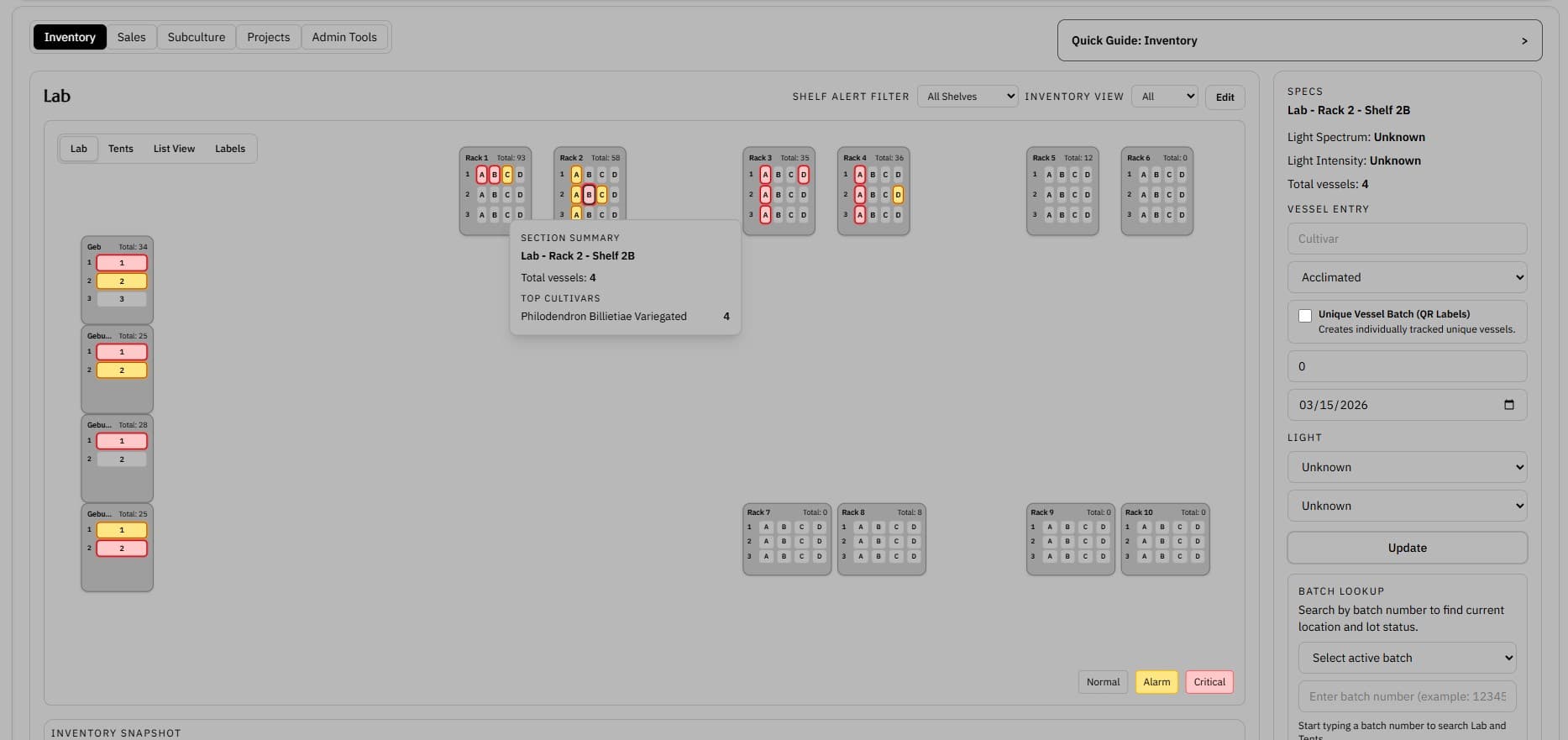
Lab layout screenshot showing rack and section placement across the inventory workspace

Lab Layout

See where batches live across the lab

A visual rack-and-section layout shows where material sits, where alerts are concentrated, and what needs attention first.

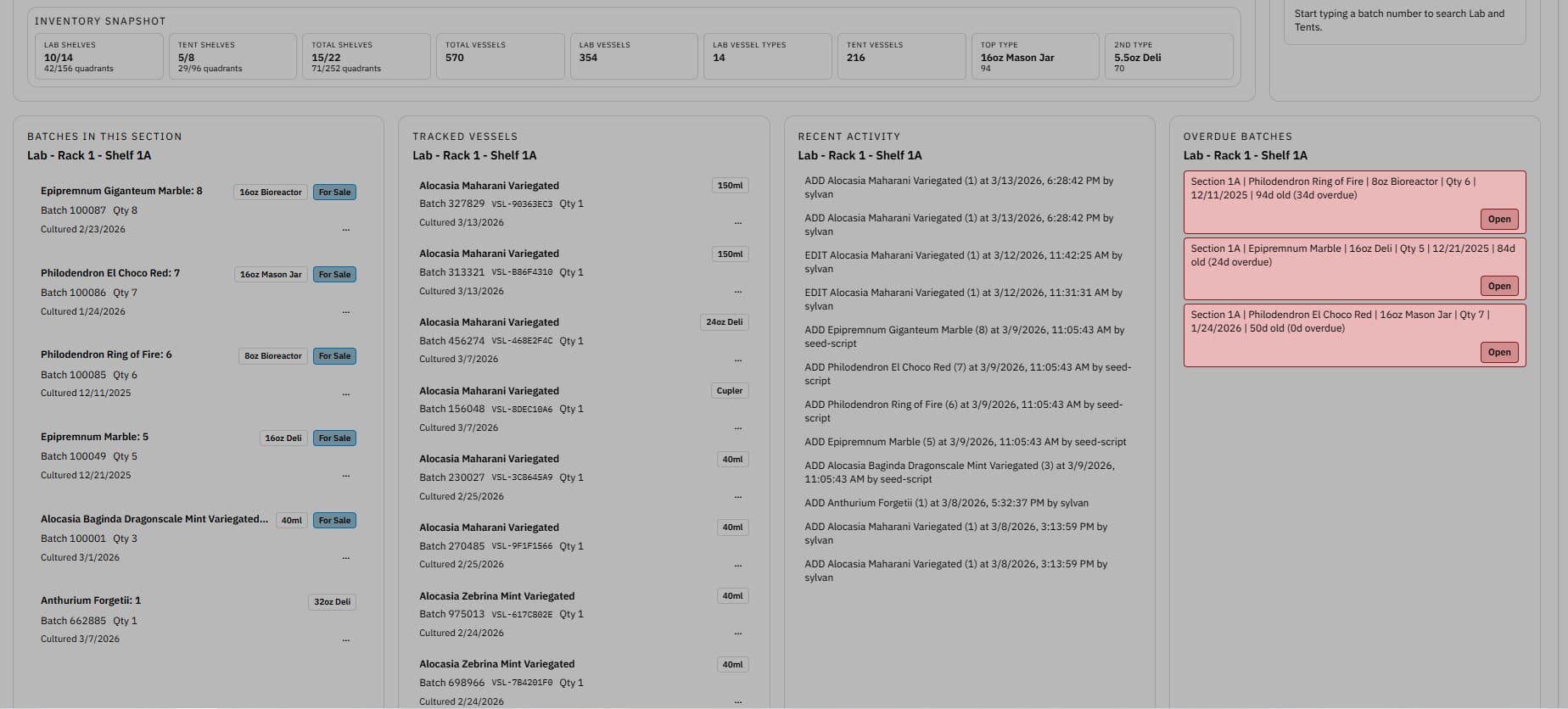
Detailed lab layout screenshot showing plant locations across racks and sections

Shelf Section Detail

In-depth details give a closer look at shelf sections.

A detailed breakdown helps you understand exactly where vessels are, recent activity, and overdue batches.

Feature proof

See how the workflow looks in the product

Lab layout screenshot showing rack and section placement across the inventory workspace

Lab Layout

See where batches live across the lab

Shelf context is operational context. The layout view makes it easier to see where batches actually live before technicians decide what to move, review, or touch next.

  • Rack and section placement stay visible at a glance
  • Shelf alerts surface pressure areas without scanning a spreadsheet
  • Lab layout stays tied to the same batch and vessel record
Detailed lab layout screenshot showing plant locations across racks and sections

Shelf Section Detail

In-depth details give a closer look at shelf sections.

Layout visibility is more useful when teams can move from a broad map into a tighter shelf-level view without losing the same inventory context.

  • Useful for checking crowded shelves and empty capacity
  • Keeps physical placement tied to the living batch record
  • Makes room-level bottlenecks easier to spot before the next move
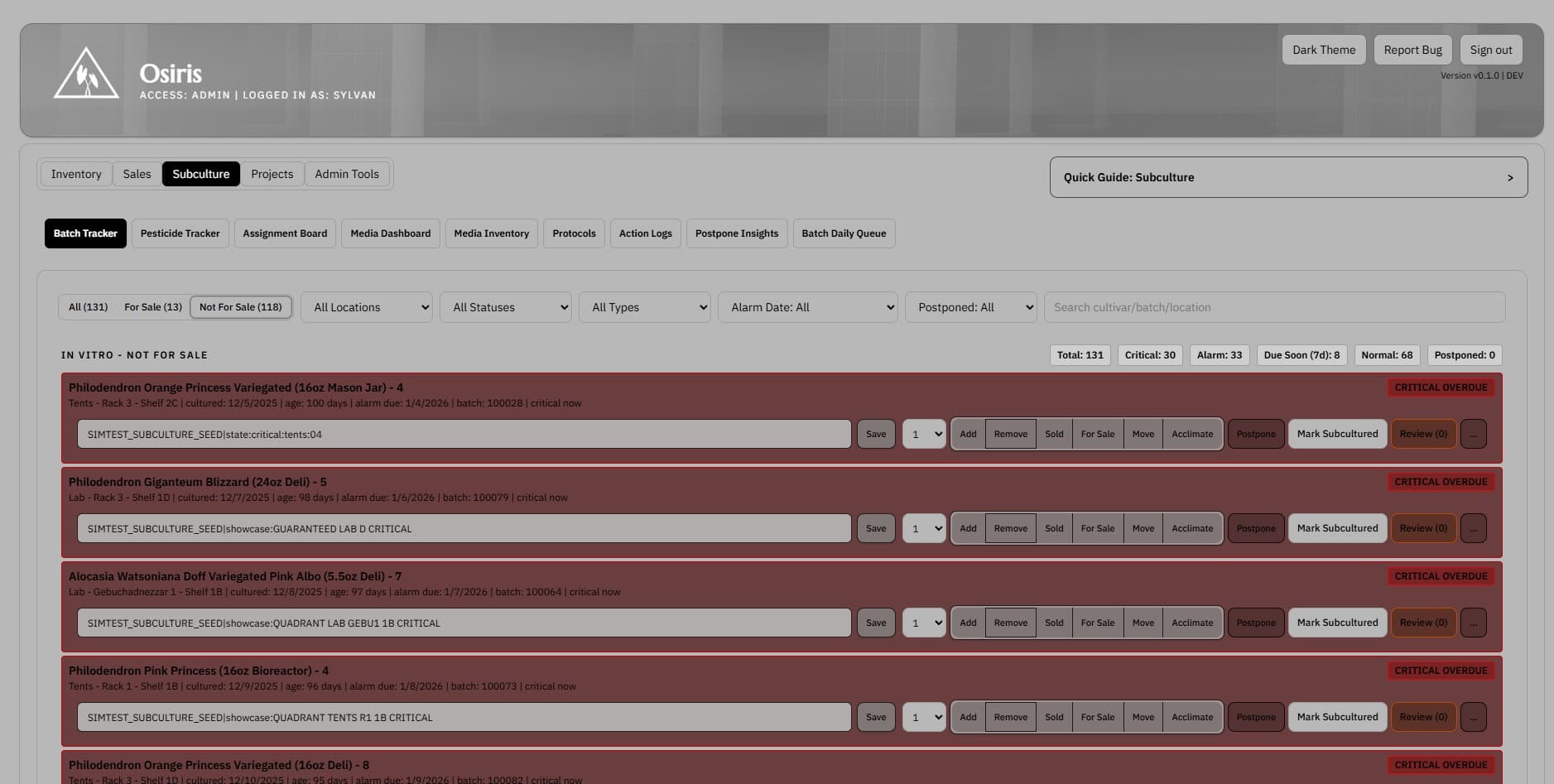
Batch tracker screenshot showing active subculture batches alarms and subculture actions

Batch Tracker

Work directly from the live batch record

The core record should answer what the batch is, where it lives, what changed, and what happens next without re-keying the same context in multiple places.

  • Supports add, remove, move, acclimate, sell, postpone, and mark-subcultured actions
  • Combines batch-level visibility with optional unique vessel detail
  • Keeps traceability attached as the batch moves through the lab
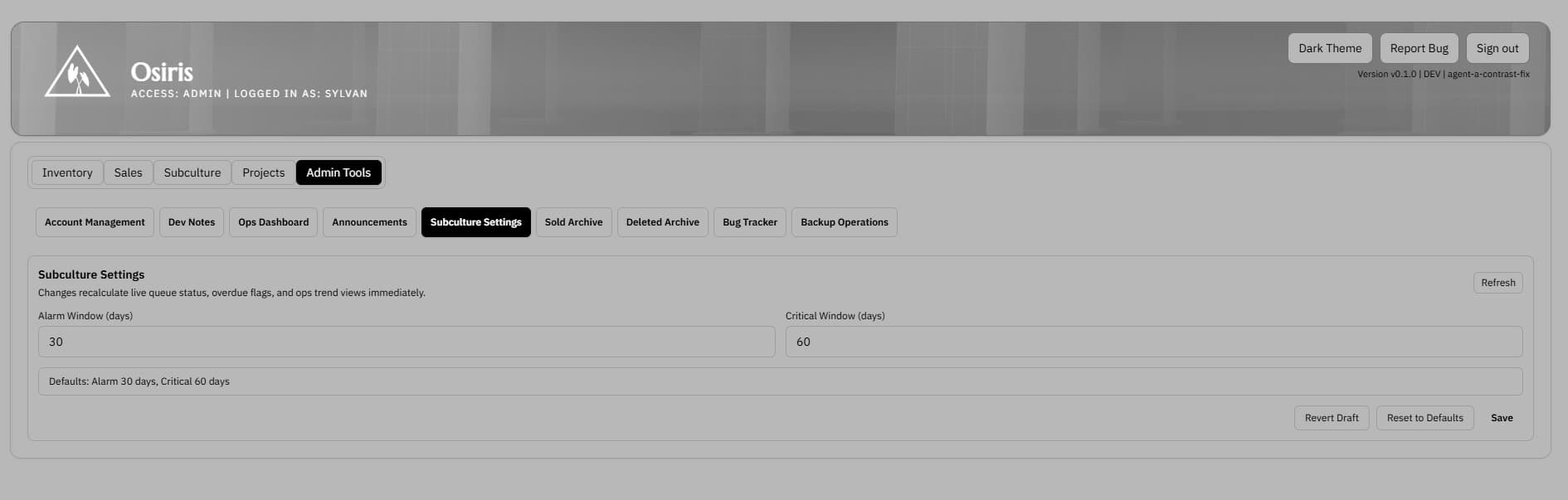
Alarm window screenshot showing overdue and time-sensitive batch activity

Alarm Window

Surface overdue work before it gets buried

When timing slips, the system should show operators exactly what needs attention instead of relying on memory or a separate reminder sheet.

  • Highlights time-sensitive work in one queue
  • Makes overdue pressure visible without opening each record
  • Helps supervisors review aging load before the day starts
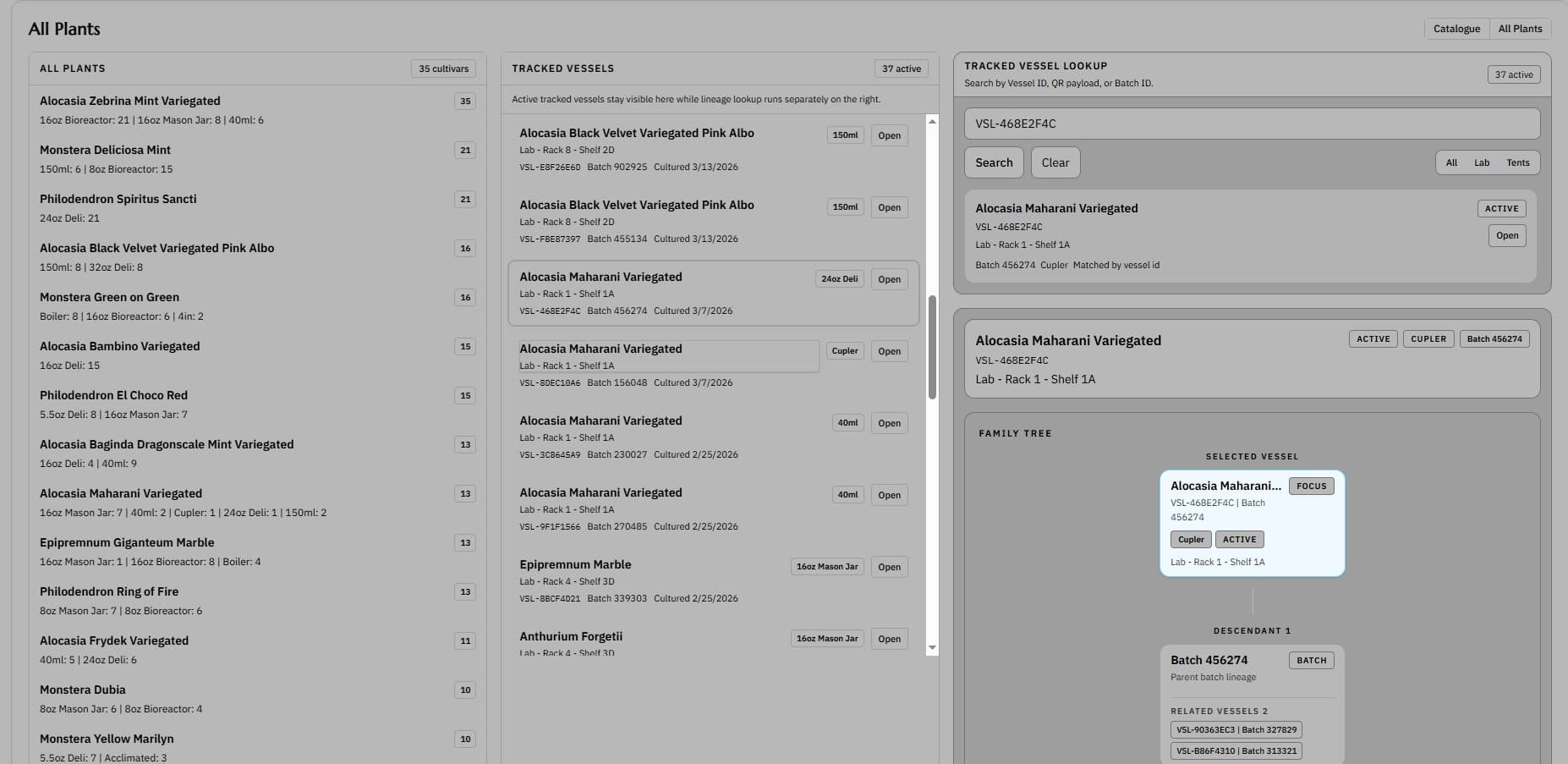
All plants screenshot showing a broad inventory view across active plant material

All Plants

See all active plant material in one view

Teams need both the detailed batch record and the high-level inventory picture. The all-plants view supports the broader scan.

  • Useful for inventory review and planning conversations
  • Lets supervisors scan active material quickly
  • Complements the more detailed batch and layout screens
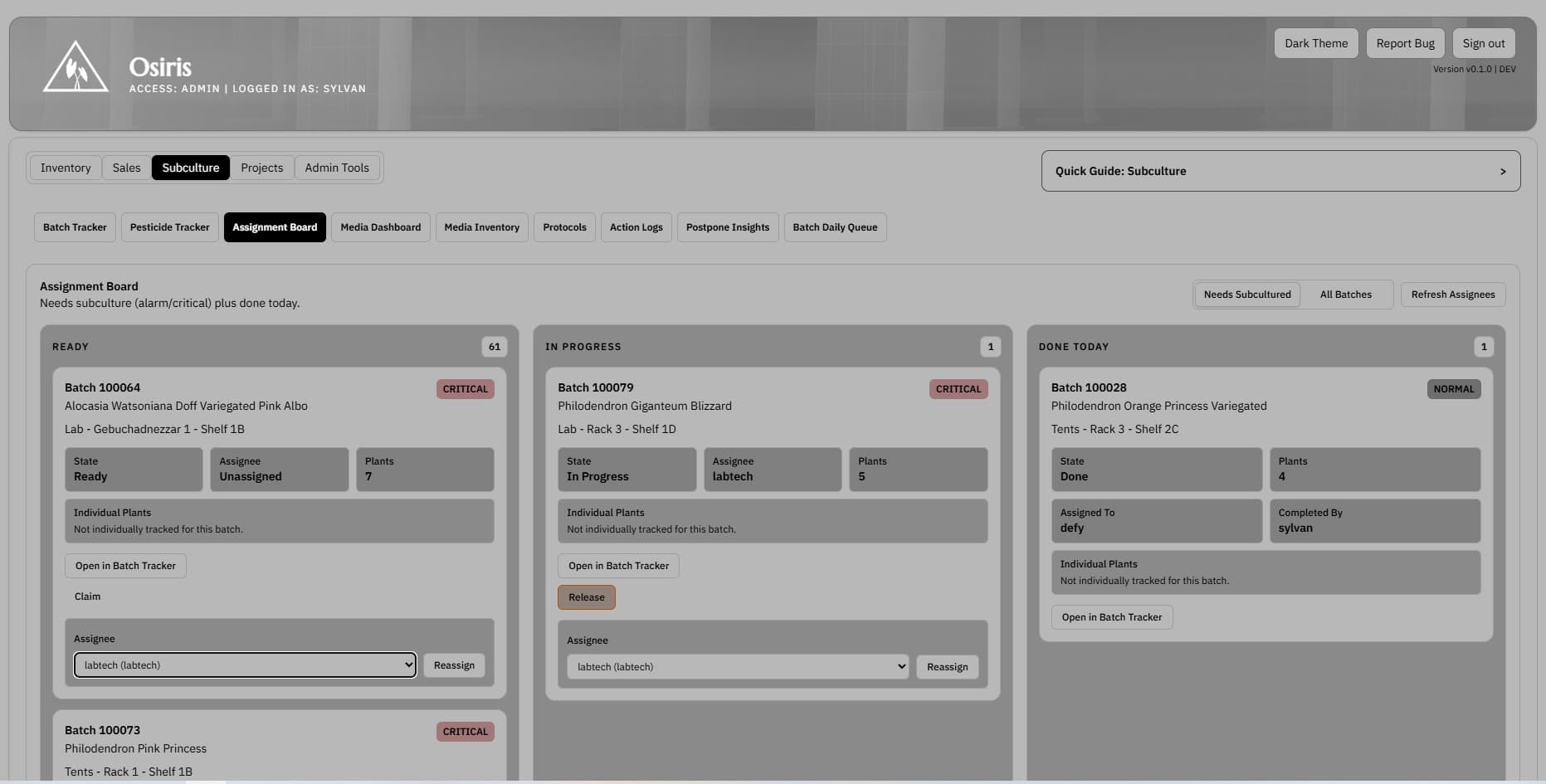
Batch assignment board screenshot showing ready in progress and completed subculture batches

Batch Assignment Board

See which batches need action next

The queue should reflect live subculture pressure, not a morning rebuild. The board view makes it easier to claim work, see what is blocked, and move batches through the day.

  • Ready, in-progress, and done states stay visible together
  • Batches can be claimed and reassigned from the same screen
  • Technicians can move straight into the batch tracker from the queue